SERP Checker Tool
Check the top 10 Google rankings and SERP features for any keyword in any location instantly. Powered by Semrush's Keyword Overview. No sign-up required.How to Use the SERP Checker
1
Enter a keyword in the field above and select your location2
Click "Check SERP" to generate Google's top 10 results3
Analyze the search results and Google SERP features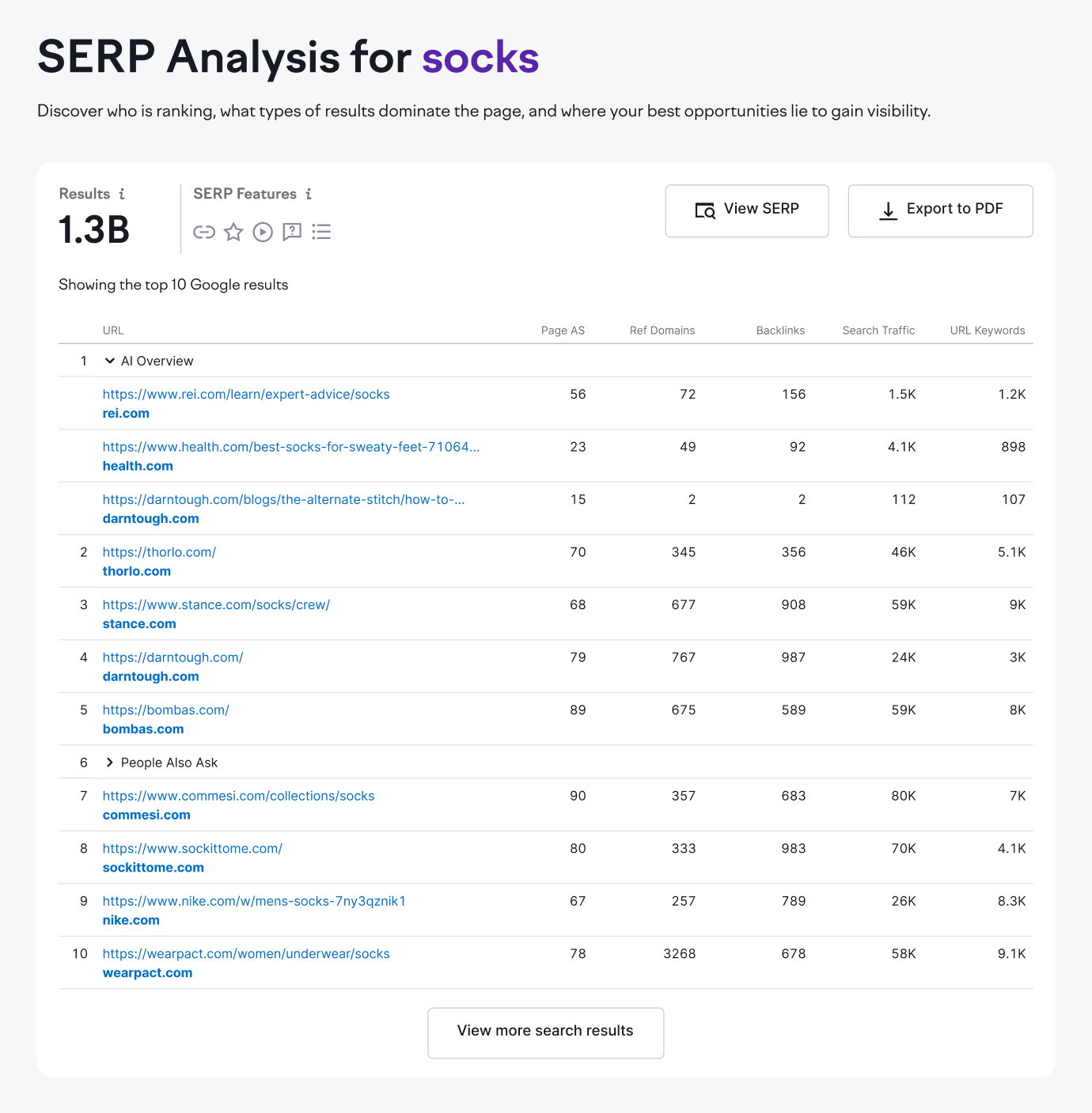
What Is the SERP Checker?
Semrush’s SERP Checker is a free SEO tool that shows the real top 10 Google rankings and SERP features for any keyword in any location.
The SERP rank checker provides unbiased results along with Semrush SEO metrics like Authority Score, backlinks, traffic, and ranking keywords, so you can see not only who ranks but also why they rank.
The tool also highlights which SERP features appear, including AI Overviews, featured snippets, People Also Ask boxes, and more. These features often take up a lot of real estate above the fold and can make the difference between being seen or being overlooked.
The SERP Checker is powered by Semrush’s Keyword Overview tool, which continually updates from a database of billions of keywords to give you fresh, reliable insights.
Why Use a Google SERP Checker?
You should use a Google SERP Checker because the results you see in your own browser rarely match what real searchers see. Google personalizes SERPs based on history, account data, and location, which means your view of rankings can be misleading.
For SEO and especially local SEO, this distinction is critical. Rankings can vary by specific location, and knowing the exact local results helps you understand where competitors are winning and where you can capture visibility.
A SERP checker also makes it clear when SERP features like AI Overviews, snippets, People Also Ask, or local packs are shaping the page and pulling attention away from organic listings.
With this information, you can focus your SEO efforts on the keywords, topics, features, and locations that matter most.
Need to improve your visibility in Google search?
Strengthen your positions across Google and AI search:
Try these tools and more with Semrush.
How to Use the SERP Analyzer Strategically
Here's how to use Semrush's SERP analyzer strategically:
Enter a keyword and choose your location
Type in the keyword you want to analyze and select a specific location. This ensures you see the exact search results your audience sees in that location.
Generate the real top 10 Google results
Click "Check SERP" to instantly pull the top 10 Google rankings. These results are unpersonalized, so you get a true picture of the competitive landscape.
Identify SERP features that shape visibility
Analyze which SERP features appear for your keyword. Pay close attention to AI Overviews, which are increasingly important in Google's results. Knowing how they affect visibility will help you adjust your strategy.
Review SEO metrics for each ranking page
Each result includes Semrush SEO data such as Authority Score, backlinks, referring domains, search traffic estimates, and keyword ranking numbers. These metrics help you assess ranking difficulty.
Analyze local SERPs for location-specific insights
Search results can look completely different from one location to the next. Use the location filter to see how competitors rank in your target area and uncover local SEO opportunities.
Study top competitors and find opportunities
Visit the ranking pages to analyze how competitors structure their content, target keywords, and earn links. Look for content gaps, outdated information, or weak formats that you can improve on.Your Free SERP Check (What You'll See)
Here's what you'll get with your free SERP check:
Rank & URL List (Top 10)
When you run a check, you'll see the top 10 organic results on Google for your keyword. Each result includes:
- Rank number: The exact position of the page in Google's organic search results.
- Page title and URL: The clickable headline and direct link to the page.
- Page Authority Score: A measure of the page's overall authority and SEO and AI search ranking strength.
- Referring domains: The number of unique websites linking to the page.
- Backlinks: The total number of links pointing to the page.
- Search traffic: The estimated amount of organic traffic the page receives.
- URL keywords: The number of keywords the page ranks for in Google's organic results.
- Result type: Indicators of special result types, such as review stars, sitelinks, or other rich snippets.
- Open SERP link: A quick way to view the live Google results page for this keyword.
- Total results: The estimated number of URLs competing in Google's index for the keyword you entered.
SERP Features
The SERP analysis also identifies which additional features appear in the results. These help you understand what kinds of content Google is prioritizing:
- AI Overviews: Summaries generated by Google's AI search systems that may reduce clicks to organic listings.
- Local Pack: A map-based block showing nearby businesses that match the search.
- People Also Ask (PAA): Common user questions related to the search, with answer snippets.
- Ads and Shopping: Paid placements that can appear above or alongside organic results.
- Top Stories: News articles shown in a dedicated box at the top of results.
- Videos and Images: Video and image content that competes with traditional web pages.
- Knowledge Panel: An information box that appears on the right-hand side, often for brands, people, or entities.
SERP Volatility
You will also see a chart of SERP volatility over the past 30 days. This shows how stable or unstable the results have been.
- Low volatility suggests a steady SERP where rankings rarely change.
- High volatility indicates frequent ranking shifts, which may signal intent changes or active algorithm updates.
Falling behind your competitors?
Get the tools to win the visibility your website deserves:
Try these tools and more with Semrush.
How We Provide Accurate SERP Data
Our free SERP rank checker uses Semrush's massive database of over 26 billion keywords to deliver real-time, accurate search results for hundreds of locations worldwide.
We continuously crawl Google search results and update our data daily, so when you check rankings, you see the most current information available.
Our advanced algorithms filter out personalized results to show you the true, unbiased SERP that most users would see.
While we can't access Google's private data, our results stay consistent across different searches, making it reliable for competitive analysis and tracking ranking changes over time.
Build on Your SERP Analysis with Semrush
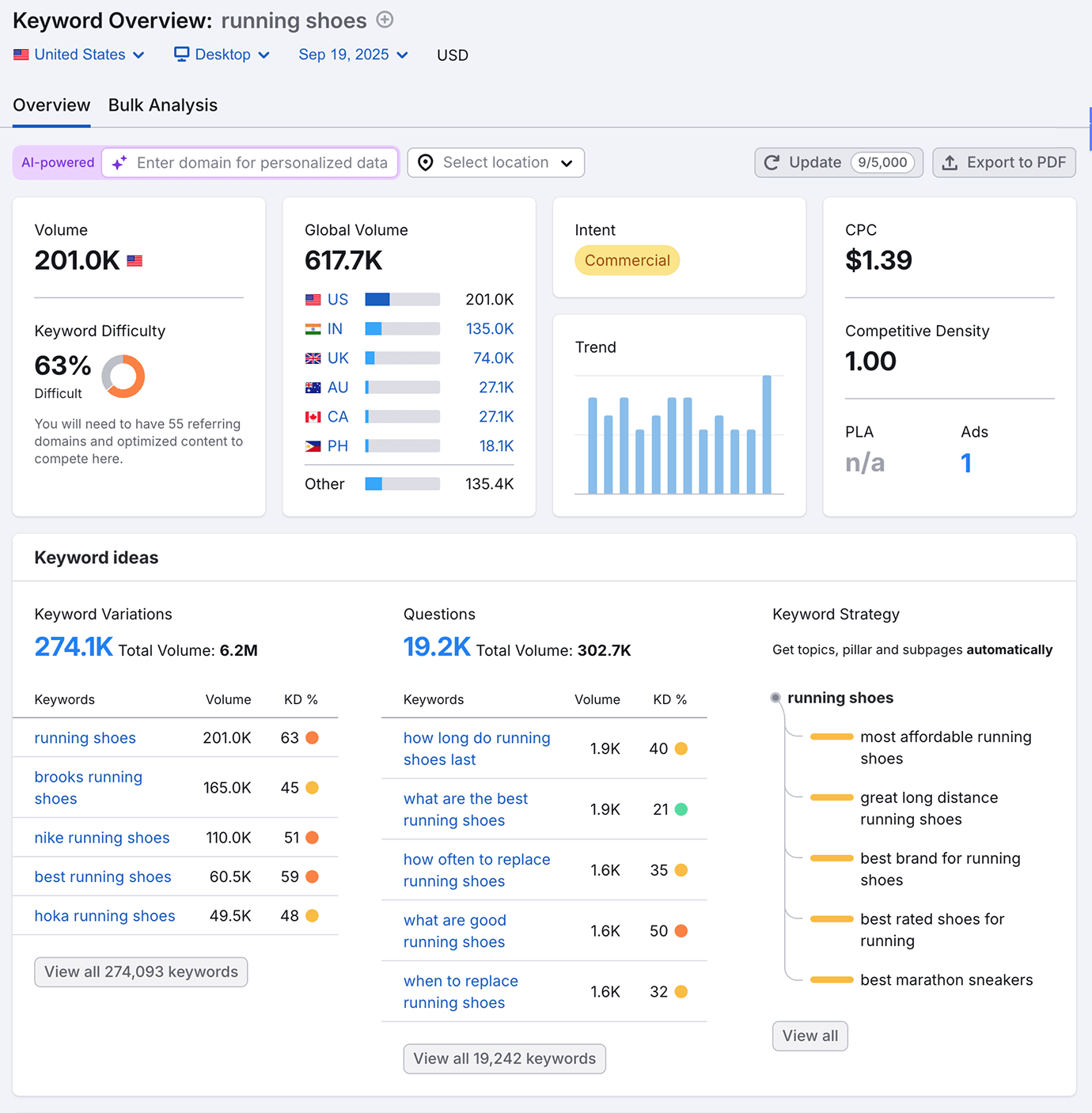
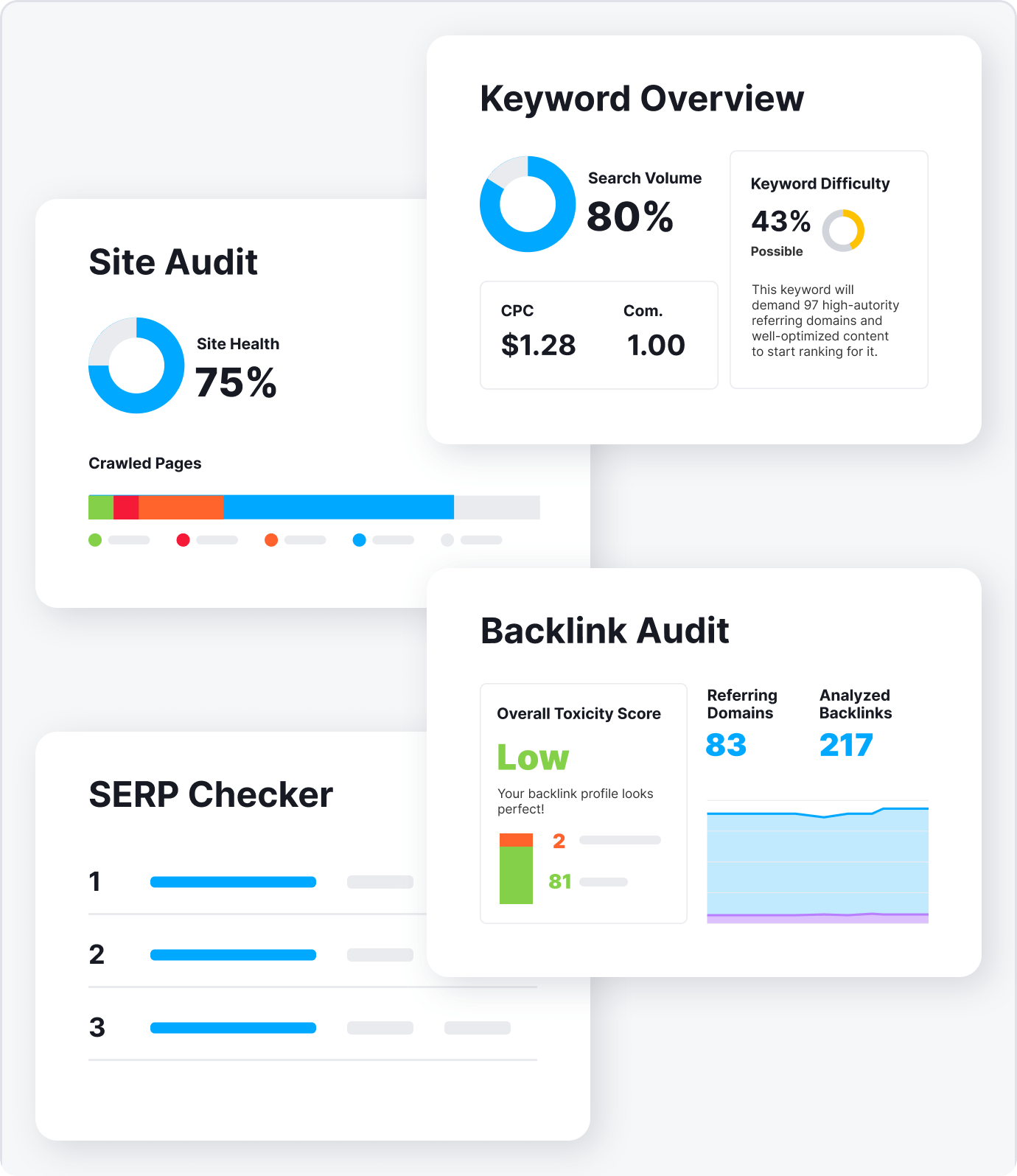
Building on your SERP analysis starts with Keyword Overview, the tool that powers the SERP Checker. This tool expands your analysis beyond the top 10 results to include search volume, keyword difficulty, CPC data, and trend insights.
From there, you can take your research further with additional Semrush tools:
- Keyword Magic Tool: Explore long-tail variations, related searches, AI prompts, and questions to expand your keyword strategy.
- Organic Research: Uncover every keyword your competitors rank for, benchmark performance, and find ranking gaps you can target.
- Backlink Analytics: See which sites link to the top-ranking pages and identify opportunities to earn authority-boosting backlinks.
- Site Audit: Make sure your site is technically sound, and address crawl issues, Core Web Vitals, and other factors that may hold you back from higher rankings.
Together, these tools turn a single SERP overview into a full SEO strategy, from understanding the keyword landscape to optimizing your site and outperforming competitors.
Frequently Asked Questions
Why do I get different results for the same searches?
Does this tool show AI Overviews in the results?
How many free checks can I run daily?
What's the difference between a SERP checker and a rank tracker?
How can I use this data to improve my website's ranking?

Are your competitors winning more visibility?
Improve your positions across Google and AI search:
Try these tools and more with Semrush.